How to change manual button properties
If the size of the manual button should be changed to fit its text display, or its text font size should be adjusted, you can modify them through the properties of manual trigger HMI. Follow the steps below to change manual button properties:
-
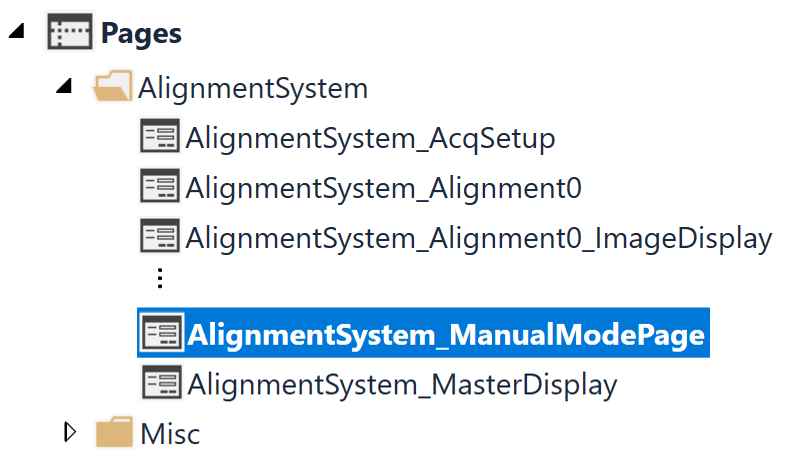
Under edit mode of the program, open "Alignment_ManualModePage" within "AlingmentSystem" page category
-
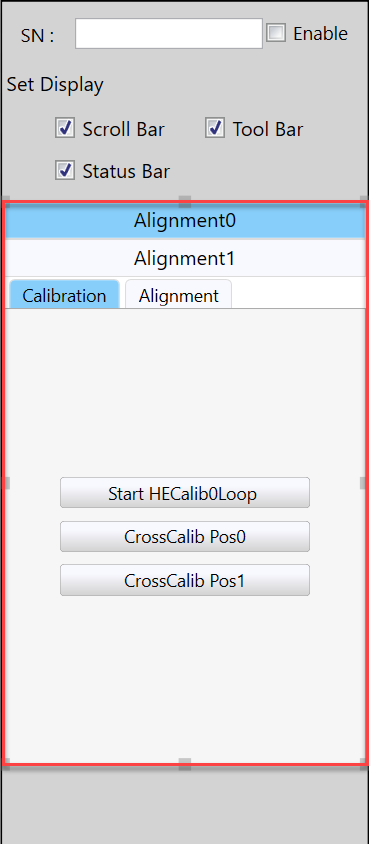
Select the Manual Trigger HMI controller
-
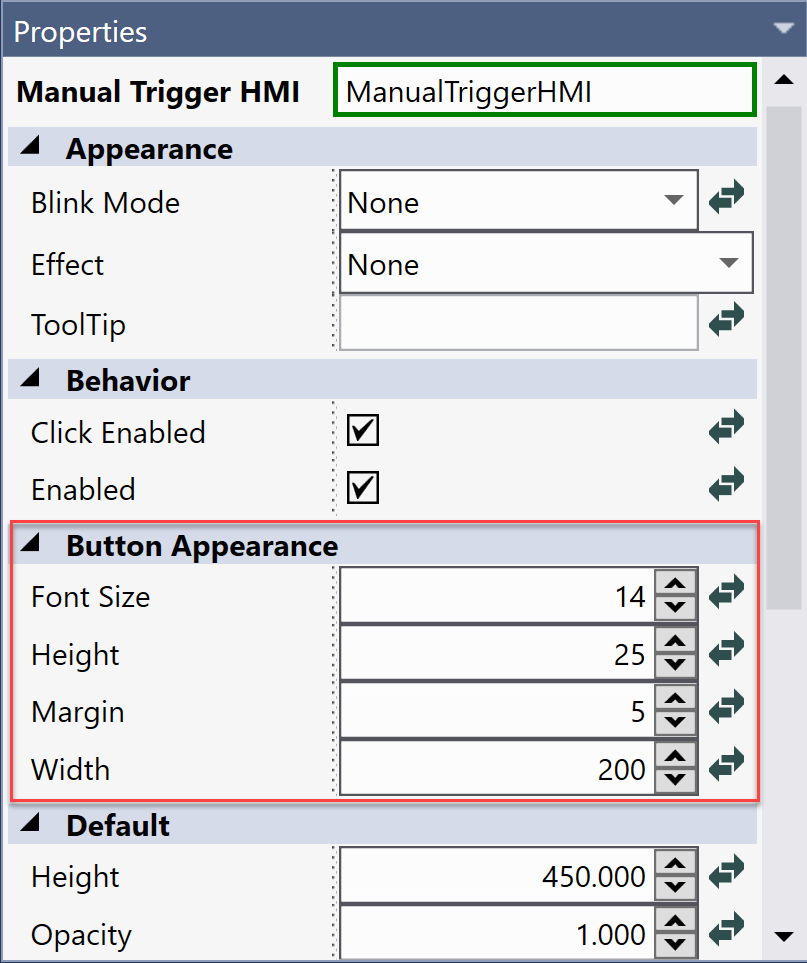
From its properties, find "Button Appearance" group where you can see font size, height, margin and width properties of buttons.
-
Change these property values to make them suit requirements. The changes of these values will have effects on all the manual buttons to keep them unified.