Feature Keys
The Feature Keys page shows the feature keys applied on each discovered reader.
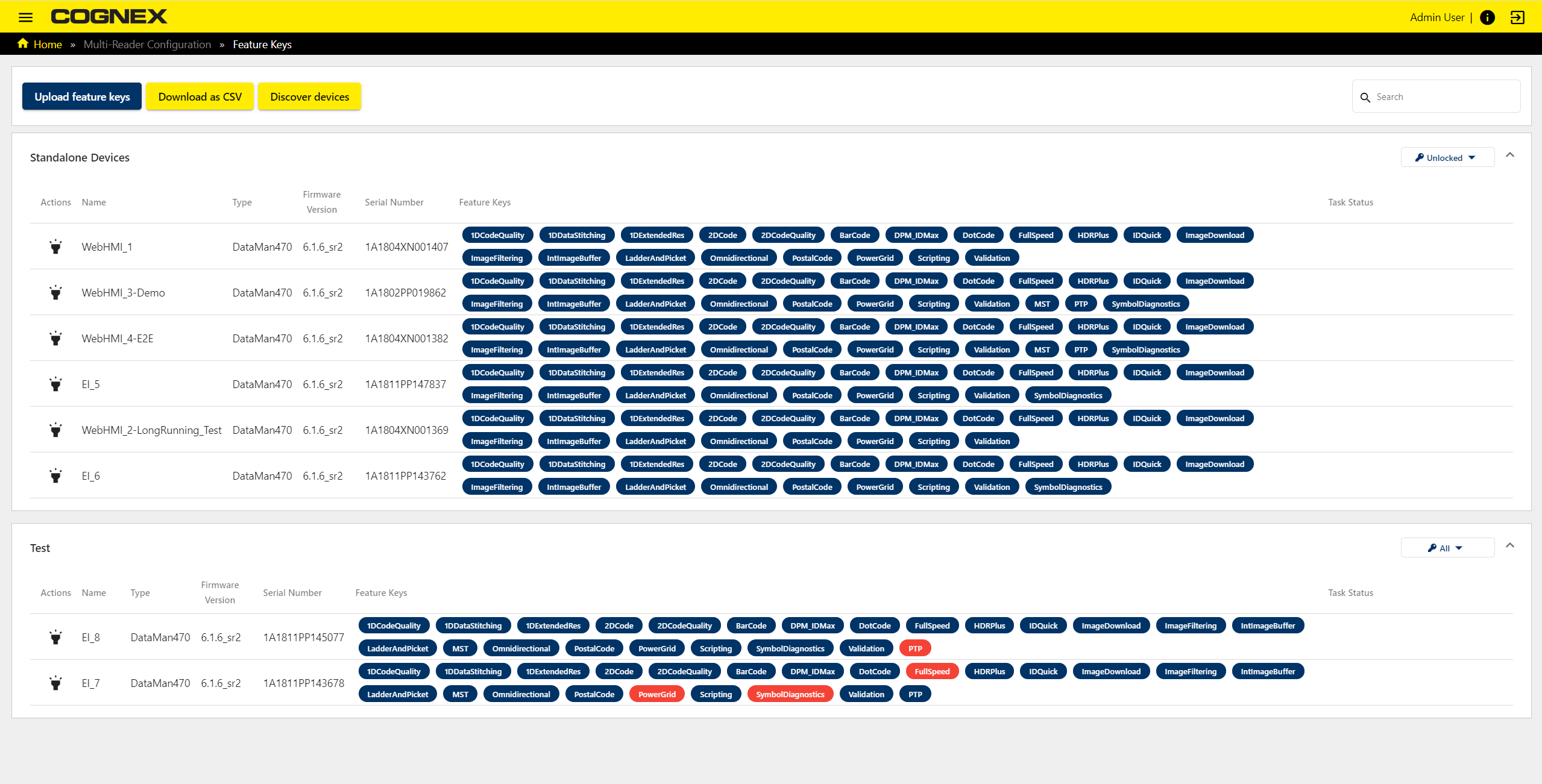
The following actions are available:
- Uploading feature key files
- Downloading Feature Keys page information in CSV
- Discovering devices
|
|
|
|---|---|
| Button | Description |
| Upload feature keys | Upload feature key files. |
| Download as CSV | Download device list with all data in CSV format. |
| Discover devices | Discover connected devices. |

The Feature Keys page also allows comparing uploaded feature keys between readers in a group:
| Feature Key Color | Description |
|---|---|
|
|
The feature is unlocked for the device. |
|
|
The feature is unlocked for some devices in the group, but not for the respective device. |


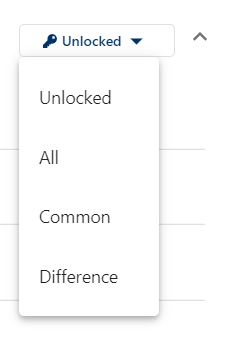
Click the Difference dropdown menu to select the following menu items for comparison:
|
|
|
|---|---|
| Item | Description |
| Unlocked | Show unlocked feature keys for all devices. |
| All | Show unlocked and locked feature keys for all devices. |
| Common | Show feature keys which are unlocked for all devices. |
| Difference | Show feature keys which have a different status among the devices. |
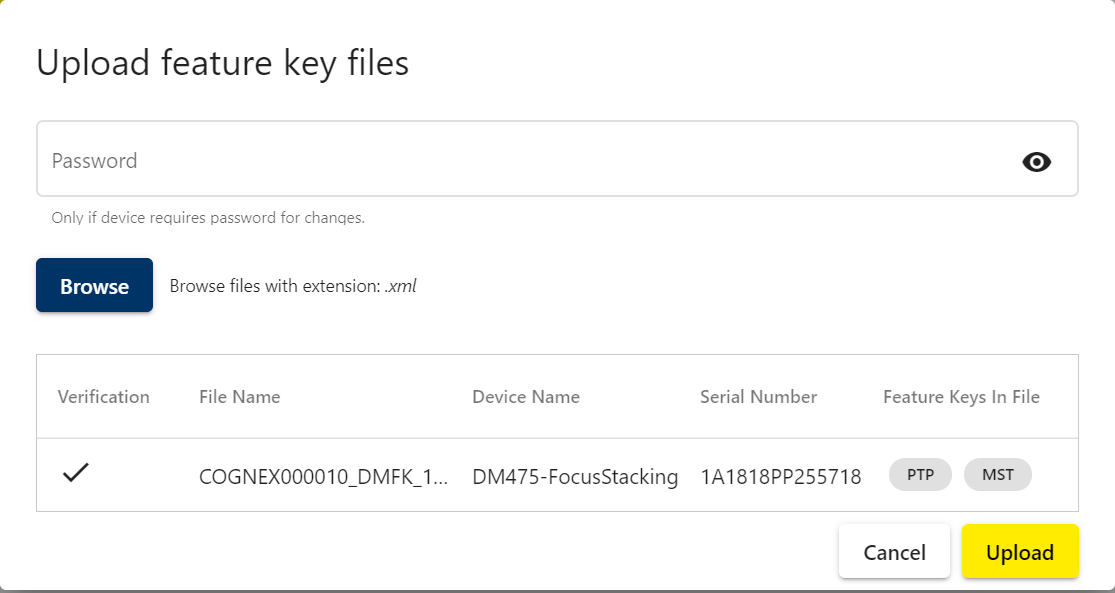
Click the Upload feature keys button to upload a feature key file from your computer:
|
|
|
|---|---|
| Item | Description |
| Password | Password is only needed if the device requires a password. |
| Browse | Browse files with .xml extension on your computer. |
| Verification | Shows verified status. |
| File Name | Name of the feature key files. |
| Device Name | Name of the device which gets the new feature key file. |
| Serial Number | Serial number of the device. |
| Feature Keys in File | Feature keys contained in the file. |