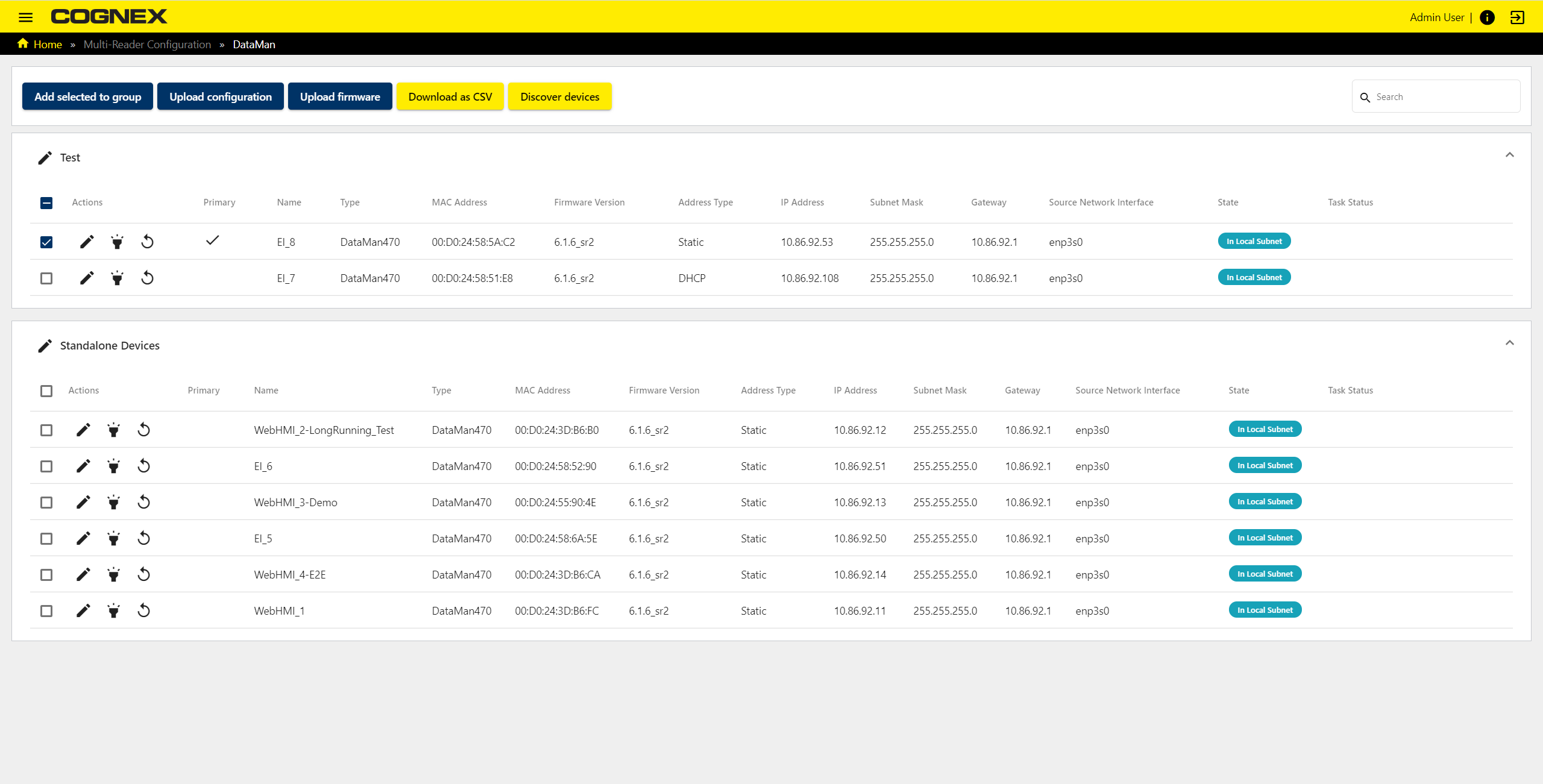
Discovering Devices on the Network
The default IP address for the Internal Ethernet port of Edge Intelligence is set to 192.168.1.100. All devices on the network are discovered automatically, regardless of the network settings. However, discovered devices are labeled as misconfigured if they are not in the local subnet.
Discover Devices
Upon successfully logging in, the web UI launches, and Edge Intelligence auto-discovers the devices on your network, which appear listed on your home screen.
Click on the Discover Devices button in the header of the web interface to force a rediscovery if you have connected a new device after the initial auto-discovery.
If you need to change your Edge Intelligence’s network settings, open the menu and go to the Settings > Edge Device. From there, you can set the network settings.
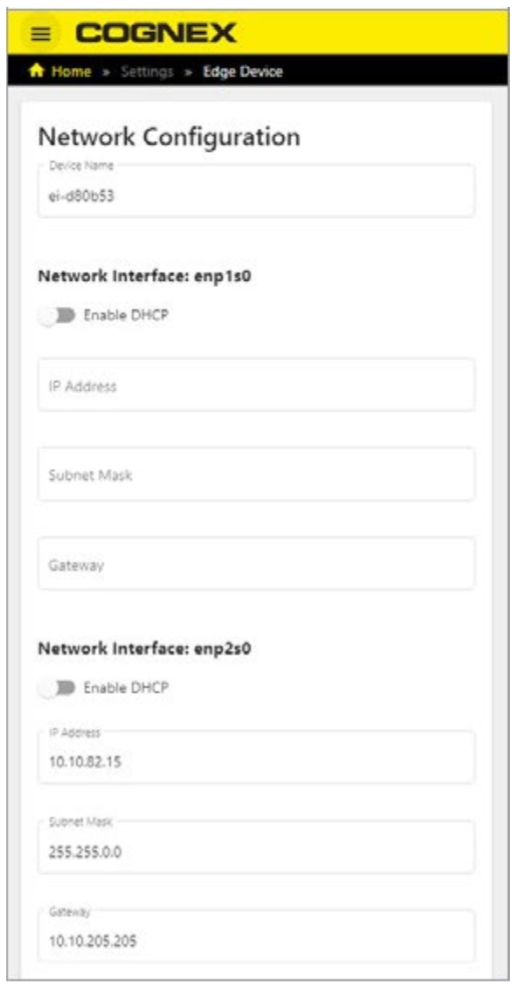
Network Settings
It is recommended that all Cognex devices be on the same network as Edge Intelligence. In order to make this happen, change the IP address of all readers on the network to be in the same network as 192.168.1.xxx, or change the IP address of the Ethernet port to match those of the readers.