Edge Device
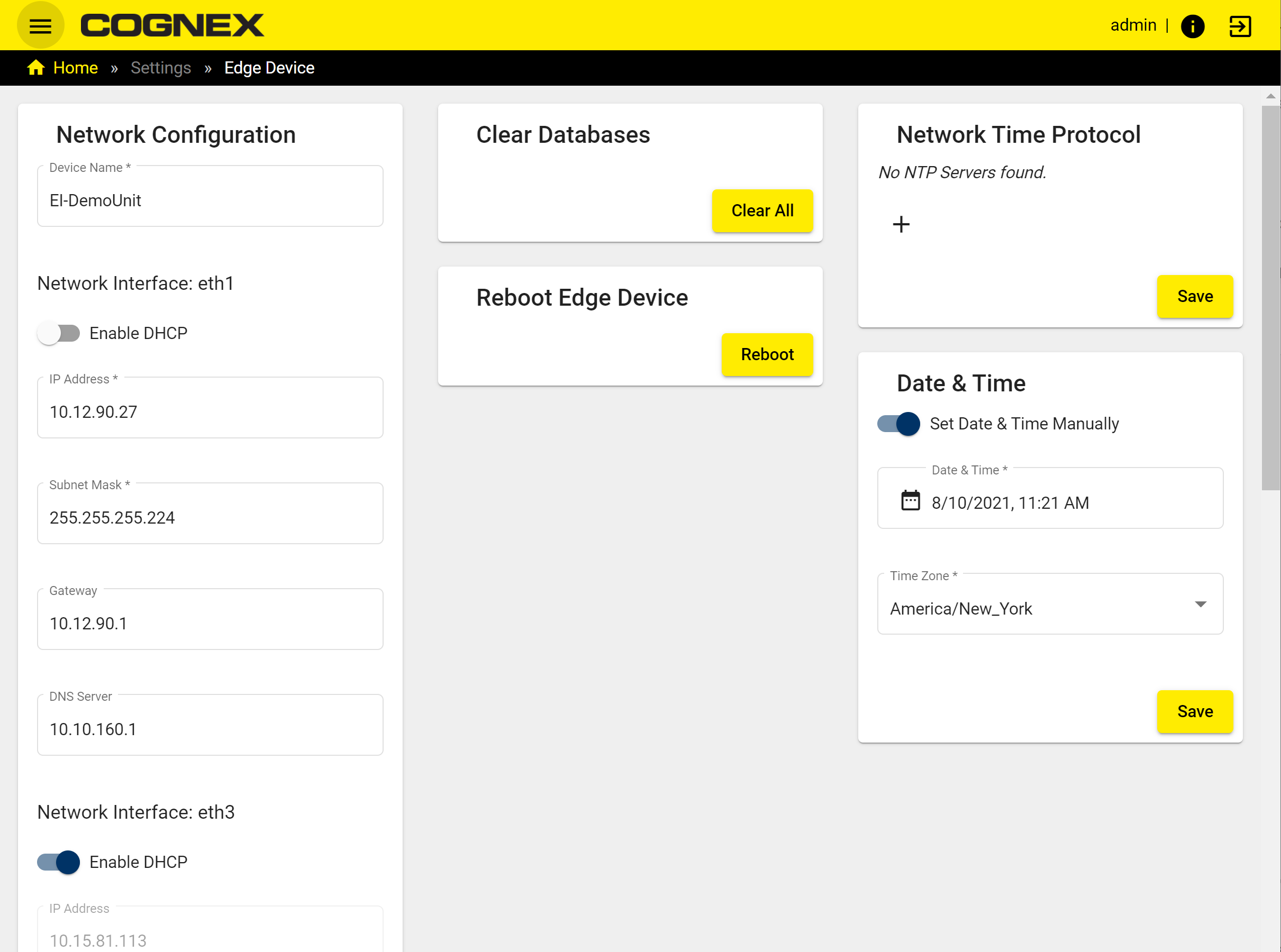
The Edge Device page shows the network configuration and allows editing and saving the network settings of the Edge Intelligence device.
|
|
||
|---|---|---|
| Section | Item | Description |
| Network configuration | Device Name | The name of the Edge Intelligence device. |
| Enable DHCP | To enable using DHCP protocols instead of static protocols toggle the switch. | |
| IP Address | The IP Address of the Edge Intelligence device. | |
| Subnet Mask |
The Subnet Mask of the Edge Intelligence device.
Note: Do not set more than one network port to the same subnet mask. |
|
| Gateway | The Gateway of the Edge Intelligence device. | |
| Clear databases |
You can clear the device lists, data, and images from the Edge Intelligence device, and create a new state. Note: Clear database option is only available with Admin level clearance.
|
|
| Reboot Edge device | You can reboot the Edge device with the Reboot Edge device option. | |
| Network time protocol |
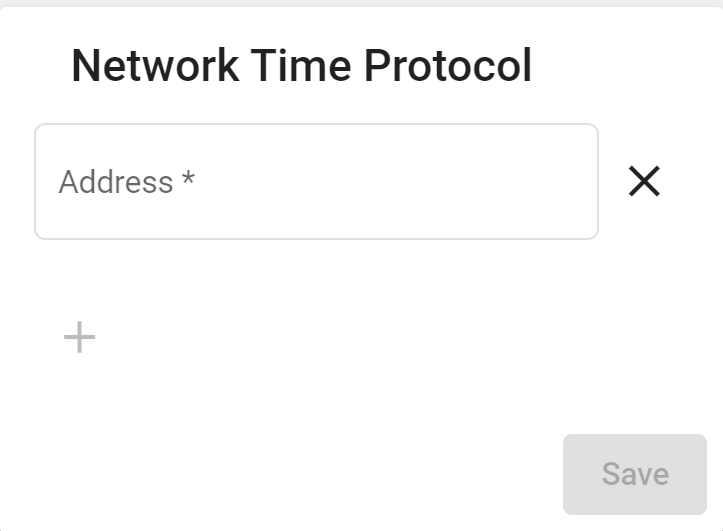
You can sync the time between the Edge Intelligence device and an NTP server. To Add New Address enter IP address of the NTP Server then click Save.
|
|
| Date and time | Toggle Set Date and Time manually to specify the date, time and the time zone. For more information see Date & Time Range Filter. | |